Let's talk about VIDEO EDITING and videos in general

Hi guys,

to mark the 30th anniversary of the German-language technology, consumer, and information portal “Chip.de,” they are giving away full versions of various software programs these days for free.

Today’s offering is Nero AI Video Upscaler Pro 365. If anyone is interested, here is the link to download it:

Nero AI Video Upscaler Pro 365 (Full version for free)

If you want to know more about the software, you can find relevant information on Google, YouTube, etc.

3 Likes

That’s nice, unfortunately no Mac version available. :pensive_face:

That’s unfortunate. I would have been curious to see how much of a positive effect it might have had on the image quality of your heavily zoomed-in future vhtv GIFs. :slightly_smiling_face:

However, the fact that there is no Mac version also has a positive side: by not installing it, you have saved 20 GB of disk space.:grin:

If some not noticed…i added information in post 261.

Back to a simple editing note. I’m really happy with how well the looping point in this little clip of Sayuri works, even though it doesn’t match up very well. It’s a good example of how you can gloss over cuts with motion.

Her pose at the beginning and end frame is not very similar at all, and my lead to find these points was only that in both instances she was making quick movements with her arms in more or less the same direction. And luckily the swishing of her hair very much moves your attention away from her legs, which don’t match up at all. There’s too much going on for the incontinuities to bother you.


1 Like

Nice! Is that in the original tempo? A nuance slower in the latter part would be even more appealing to me. (Not meant as criticism - just a spontaneous thought…)

I have a 2 second event in 2 versions
22 sec, 8,2MB
DropEmOut-20260222-2-mini-poorquality

90 sec, 3 MB


original size and quality is here (19MB)

My main criticism is, to this song you should have picked a girl that has a nit more going on on the upper floor. I don’t see them knockers he is singing about.

Seriously though, that’s some really nice editing there, the only real constructive criticism I have is that maybe you could have created a more appetizng thumbnail. I almost hadn’t played the video.

How did you go about it? When I want to edit something to musical beats I first set the audio track. The I play it in the preview, tapping a finger on the m-key drop markers on the timeline to the beats I want to cut on.

Kind of reminds me of an old favorite video, these guys also use mirror effects to great effect. (Also, their channel is a great way to scratch your Star Wars nostalgia itch without having to re-watch those terribly executed prequel- or sequel movies.)

I do not add pics or vids to music. I add music to pics/vids.
I just took that song, because of the clapping rhythm. And because i like that music, i used the 90 sec. complete song. But that 2 sec. scene is just booring to watch 90 seconds without any change.

And i don’t like big boobs. That’s why i will never have a video where i could use:
Creed Fisher - Girls with Big Titties

And the start pic…instead of forcing someone to watch something, I prefer to arouse their curiosity and make them thing…what the fuck does he want with that shit here?

He does not speek to Shaniya..she’s already showing off her assets.

There is still using of parameters for conversion that (i say) are not the best.
The video is 600x600. It is saved with 2200 kbps. The original is 1920x1080 and you get 1500 kbps. So when you do not save for a hd monitor hight (1080x1080 in this case) and let the algorithms do the work with the best configuration to upscale the zoomed part, than you do not need that bitrate (amount of data). It does not improve any quality. You need only as much as you can calculate by the ratio of full resolution to 600x600 for the same quality, because where are no details you can not get details by just increasing the bitrate.
But for the ones who want to see in fullscreen mode (here 1080x1080 for the excerpt), they can get good quality only if you let it be zoomed calculated before saving, because the player can not do that in real time what that algoythms do in severel 10 minutes. Especially the parameter for interpolation should be ‘best’.

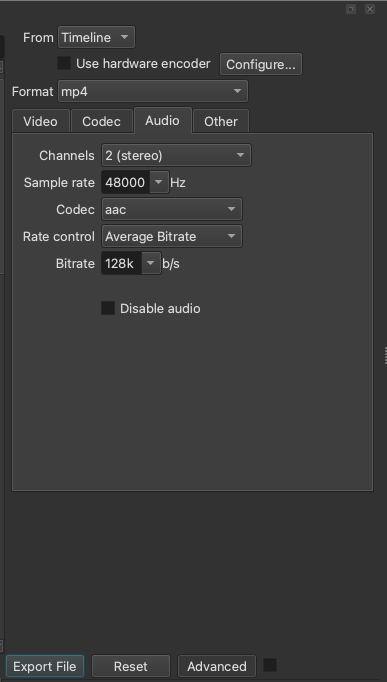
The sound original is also only 128kb/s and not 256. That is also unnecessary.

btw - the ‘okay’ at the beginning is not part of the original song :wink:

Mass producing WEBPs has had an impact on my habits. The 600x600 is purely because with a webp you need the dimensions for a good display size, for a mp4 I could have reduced the resolution with that zoom factor.

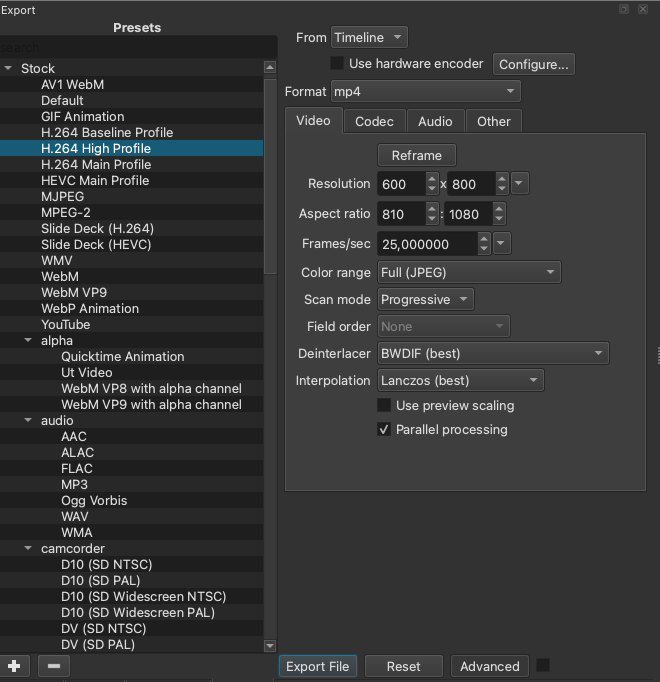
I just changed the output to h264 high profile and honestly didn’t waste another thought on bitrates for such a short video. When I did 20min videos I was very serious about resolutions and bitrates.

I always use the best interpolation setting but it is possible, though unlikely, that I slipped up on this one. When you change the output format it goes back to normal, but I usually set it back to lanczos right away.

One more thing I noticed in our debate about webp versus video, a quite comparable webp posted two days earlier got much more reactions. It has a bit sharper dance moves but isn’t topless, that should equal out. With a video people may not realize it is something they would want to see. Adventage for the self-playing file. Sometimes you have to force people into their luck. :grinning_face_with_smiling_eyes:

1 Like

This one is 600x800 and has 3000kbps. That simply makes no sense.

Instead of 94Mb it would have about 20Mb with the correct parameters and even 608x1080. And for the users it could be already zoomed to 1080p, because:

Edit: i just had a look at the cam…no need to zoom. To crop the sides would be ok but you made it even smaller than the original. That is completely incomprehensible.

btw - at the beginning the 3 pool cameras were streamed with 1500kbps (like all others). Current bitrate is about 2500kbps what makes it a bit better (or 1000k bit better).

I think you are wrong here. Your calculations about what file size shoud be sufficient would be right if I would do my compressed encoding from the same source material that the original encoding was done from. That would mean the raw, uncompressed data from the camera’s CCD sensor.

As far as I know the streams that we get are the encoding done internally in the webcam, set to a specific bitrate. And that biterate sets the level of inaccuracy that the raw CCD data is represented with.

If I want do make my video with the best possible video quality, I need to represent that inacurate representation as accurately as possible because I am actually adding a second layer of inaccuracy on top of the first one.

Unless I’d preserve the original video encoding in my file. But there’s not much you can do with a video that way. With my tools I know how to trim the length of my stream recordings and that’s it. I think there’s programs with which you can put several equally encoded clips together into a new file while preserving the code. Not sure if you can make changes to the audio, how those two streams are actually interwoven. But if you make any other changes to the video, cropping, resizing, adding filters or logos, then you definitely need to encode anew, adding that second layer of inaccuracy.

So I did an experiment, recreating an equivalent video to my original post at 20 Mb size.

I don’t save project files of these mini projects. So this is not my original edit, I just used one continuous chunk from the same recording, same length as my first video, with the same music and resizing, as accurately as I could do by hand. should be good enough for a comparison.

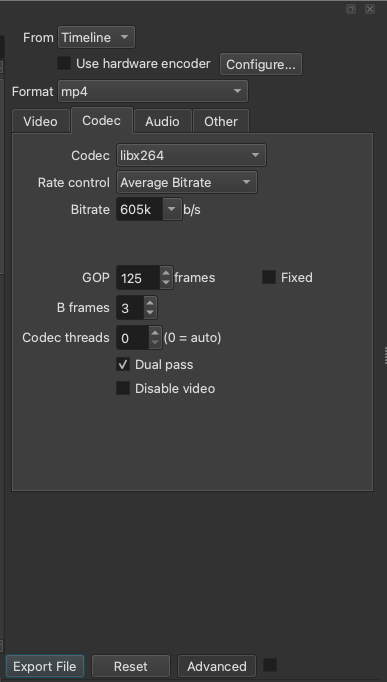
Here’s the video settings I used.


To the best of my knowledge this should give the best quality I can get aiming at a certain file size: Average bitrate and dual pass encoding. In my first video I had set the video stram to 3300k and audio to 128k, not too much for music, so I had a combind bitrate of 3428k

I calculated the new video bitrate (3428 x 20/94) - 128 = 601.3 and gave it a generous 605 kbps

(Talking about file sizes, are you using a Mac, too? You said my video was 94 Mb, as indicated on my Mac, but I thought on a Windows system it should be indicated as 94.046.788 / (1024 x 1024) = 89,7 Mb?)

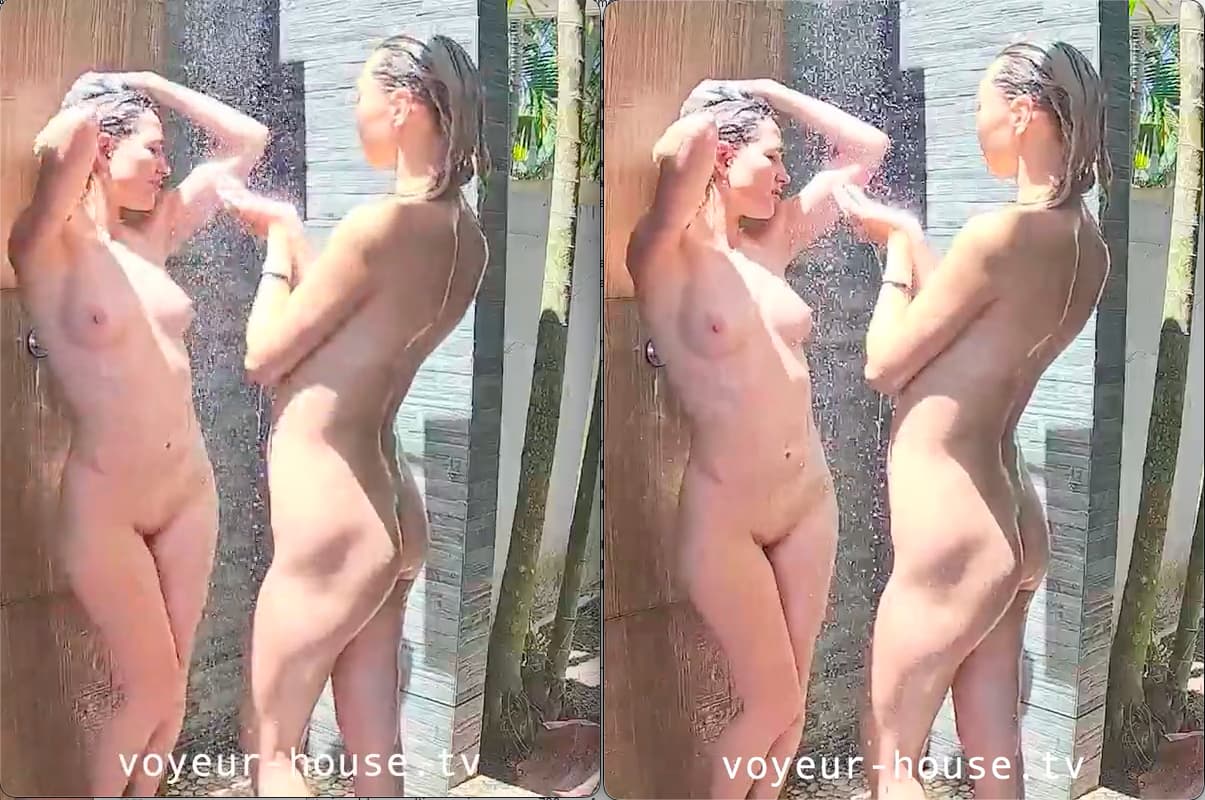
Anyway, the file landed at 20,3 compared to the original 94, as indicated on the Mac. And now here’s some comparison shots. The small video is on the left, my original on the right side.


Admittedly, it isn’t much of a difference, but if you look closely I think you’ll find that the bigger video is a little bit crisper. Look more at the low-contrast moving areas, not so much the high-contrast or still ones.

Is 94 Mb a bit of overkill for this little video. Maybe. Probably. But you already know that I don’t care too much about that. And it is better than 20.

It is my old habit, if I bother to adjust the bitrates of video encodings, to aim slightly above 90 and safely below the upload file size limit. For the accurate representation of already inaccurate images, as explained above. I even worked out a formula for average bitrate video encoding, a good rule of thumb:

Maximum combined (video + audio) bitrate in Mbps = 8 / video runtime in seconds

There you have it. You see, it isn’t so easy to make me change my ways.

i do not talk about sufficient filesize. I talk about bitrates.

For my eyes…not worse it. (no…i do not need glasses). Monitor is LG ultrawide 1440 high.

you should present that for comparison


it is enhanced. If by an AI tool or yourself with shotcut…no matter)
and for that specific details there will be an appropriate bitrate, that might not be so high but enough to keep that details. That is to check out. I would not calculate a suitable one here.

here is nothing enhanced

Bitrates, filesizes, it’s the same thing, just in blue. You brought up the 20 megs, I just set the bitrate aiming for that size.

I honestly don’t see what your monitor has to do with it.

I enhanced nothing. Those comparison shots are two windows of the Quicktime Player, displaying the videos in their original size, placed side by side. Then took snapshots of that area of my screen. You can see the rounded corners of the single windows. Actually, I still have those windows open. See?

My comparison pic is from your original 3000kbps video and the original stream video saved as it comes from the stream.
So Rosy’s face in your video became that clear by what? Definitly NOT BY using 3000mbps.
The size of monitor is just to make clear, that it is not resized by the player/graphics or scaled to mini monitor or something like that.

I don’t want to argue, but rather discuss the pros and cons and improvements for the people who will ultimately watch the whole thing. And most of them will do so in full-screen mode. Therefore, it’s appropriate to render full-screen content using algorithms that are good at it (significantly better than real-time upscaling/rendering by player) and to make an effort to do so with reasonable bitrates. Not everyone has high-speed internet. I’m just offering advice.

Honestly, I don’t know. I know shotcut doesn’t use AI. I guess it’s the lanczos interpolation, but I really don’t know how exactly those different interpolation methods work, I just use the one that’s supposed to be the best. I’ve been told that’s an important setting when using low quality source material and low bitrates. In the shotcut forum, same username as here. You can look it up if you want.

i say: definitly not. you will never get that by using shotcut just crop, resize, re-encode and save.
i will make a test with the original saved stream.

But i have no idea what you do here

and google says:
No, Shotcut on Apple computers does not automatically apply system-internal (native macOS) filters to your videos. Shotcut is a cross-platform application that uses its own, built-in library of filters and effects (largely based on MLT and FFmpeg)

Rosy’s clear face is already there in the original stream. Just for a few frames. So in my comparison pic i have one of the other frames and did not noticed the ones with the clear face. It changes one or 2 frames later.

Indeed you lose details when you export with 1500kbps (left) instead of 3000kbps (right).
But just in that litle part for a few frames. I do not know how many other little parts are also affected.

just saved from original stream video with your parameters except limited instead of full range and the bitrate.